JET ELM tutorial
One of the most common cases to run is a JET ELM. This page will explain the steps required to run this case successfully on a cluster.
Setup
First you will have to compile a working version of JOREK, using the instructions on compiling. We will use model 303 in the rest of this tutorial. There are two different executables that we need to compile to run this simulation. The first is used to calculate the equilibria, and uses toroidal symmetry. The second has the right number of Fourier modes for this test case. These are hard-coded_parameters which must be set at compile time.
Check your Makefile.inc to remove debugging flags and extra checks if the simulation takes too much time.
Equilibrium executable
First set the hard-coded parameters to the correct values to calculate the equilibrium.
./util/config.sh model=303 n_tor=1 n_period=1 n_plane=1
make clean
make -j4
mv jorek_model303 jorek_model303_equil
This produces an executable called jorek_model303 and renames this to jorek_model303_equil.
Simulation executable
For the real calculation we will use more harmonics.
./util/config.sh model=303 n_tor=3 n_period=10 n_plane=8
make clean
make -j4
We can keep the name of this executable as-is.
Running the simulation
The simulation consists of three steps. The first step is calculating the equilibrium (solving Grad-Shafranov), the second step is calculating the equilibrium including flows, and the last step is calculating the solution with a specified number of harmonics.
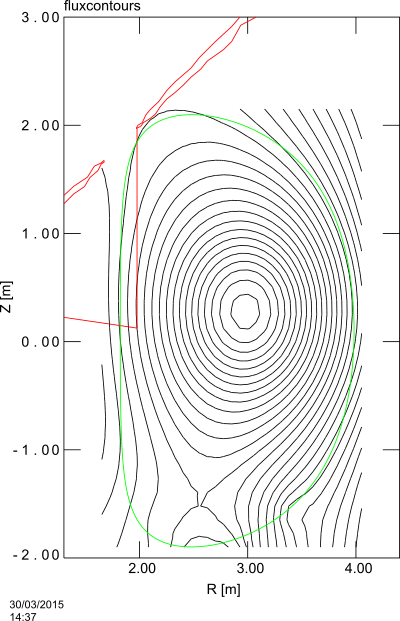
You can obtain the required input files from jet_tutorial.zip. This contains 3 input files for the different stages of the simulation. These are generated from an eqdsk file, using the program eqdsk2jorek.f90. Both are included in the archive. A plot of the equilibrium flux contours (linearly interpolated) is shown below.
The important differences between these files are highlighted below, but most of the content is identical. For a list of parameters and their meanings, see Running JOREK.
Equilibrium
Calculating the equilibrium is done by setting in the input file in_jet_equil the following parameters
restart = .f.
nstep   = 0
which tells JOREK to calculate a new equilibrium for the other parameters in this input file. We can then use jorek_model303_equil to calculate the equilibrium and save it in jorek_restart.h5
Equilibrium with flows
To add flows we only need to set a nonzero number of timesteps and timestep sizes, in the file in_jet_n0. For numerical stability it is required to start with small timesteps and increase these gradually.
restart = .t.
tstep_n = 0.01, 0.1, 1., 2.,  5.
nstep_n =   25,  25, 50, 50, 450,
Here we also use jorek_model303_equil to calculate this equilibrium. We will denote this part as the n0 stage for the $n=0$ mode.
Full simulation
For this simulation we only set a single timestep size in the file in_jet, and simulate for 2000 steps.
restart = .t.
tstep   = 5.
nstep   = 2000
Use jorek_model303 to do this.
Submitting to a batch node
There are two convenience-scripts included in the zip-file. The first is used to calculate the equilibrium (first without and then with flows) in the n=0 mode. First change your email address in this file, change the queue, number of systems and number of processes to suit your computer system and then run it with
./launch_jet_equil.sh
The first line in launch_jet_equil.sh is #!/bin/sh. You might need to change this to #!/bin/bash. The same goes for launch_jet_run.sh.
After these jobs are done, you can start the ELM run with
./launch_jet_run.sh
If you cannot run ./launch_jet_equil.sh because the system replies with Permission denied, run chmod u+x launch_jet_equil.sh. The same applies to ./launch_jet_run.sh.
Restarting the simulation
The easiest way to restart a simulation to a longer simulated time is to copy the last restart (.h5) file to jorek_restart.h5 and then rerun JOREK.
cp jorekXXXXX.h5 jorek_restart.h5
./launch_jet_run.sh
Watching output
You can see the output using the command
tail --retry -n 20 -f jet_{equil,n0,run}.{err,out}
This will keep watching for these files to appear and print new changes from them.
Output
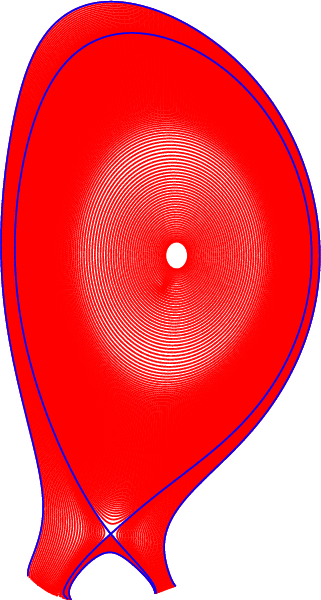
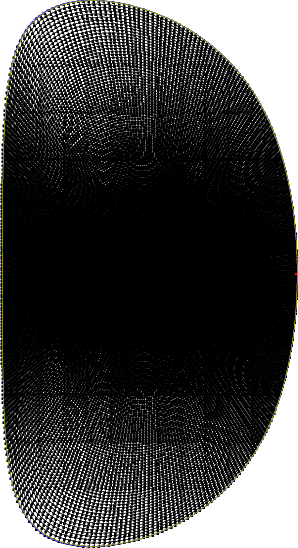
The equilibrium calculation will create a file jorek2.ps containing plots of the grid and flux surfaces. These are shown below.
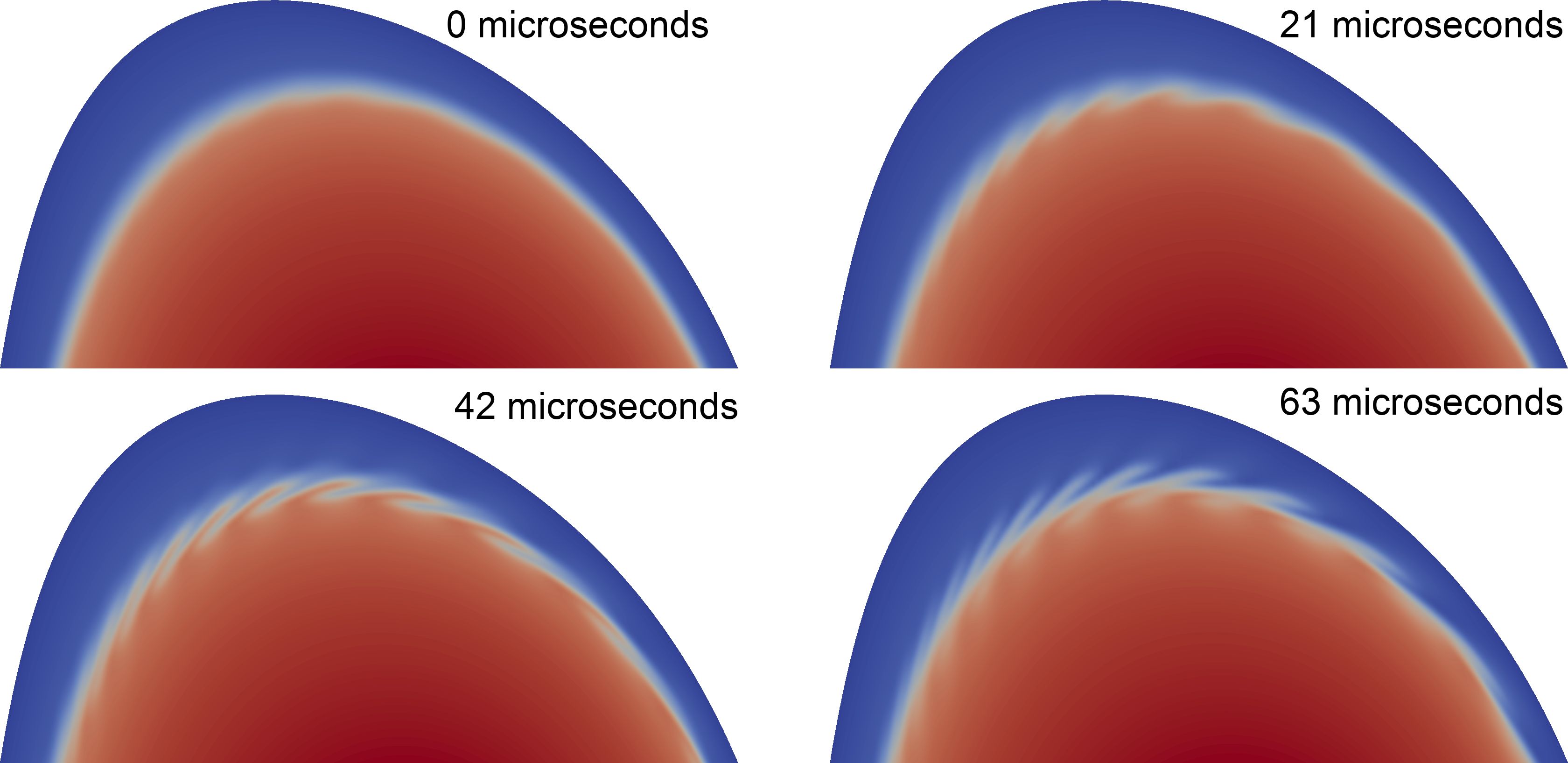
The output files can be converted using jorek2vtk(.sh), and then processed with paraview to create movies (for example, jorek_jet.mp4). The image below shows the density in a poloidal cross-section.